Table of Contents
ToggleA gaming bedroom isn’t just about cramming in a console and calling it done, it’s about building a functional space where a gamer can stream, compete, and unwind without strain or distraction. Whether you’re furnishing a room for a teenage esports aspirant or creating a haven for casual gaming, the setup matters as much as the hardware. The right gaming bedroom combines a performance-ready station with comfortable, focused design choices that grow with the user’s interests. This guide breaks down the practical steps to design a gaming room that’s both epic and genuinely usable, from desk placement to lighting choices that won’t cause eye strain after a six-hour marathon session.
Key Takeaways
- A gaming bedroom requires a desk (40–48 inches wide) and an ergonomic task chair with lumbar support, proper height, and adjustable features to reduce strain during extended sessions.
- Optimize lighting with warm task lights (3000K) positioned to the side of the monitor and bias lights behind the screen to reduce eye strain and fatigue during gameplay.
- Choose darker wall colors like navy or charcoal for boys gaming bedroom ideas to minimize screen glare, and add a bold accent wall to create focus and better streaming backdrops.
- Implement wall-mounted shelving and cable management systems to keep controllers, headsets, and accessories organized and accessible without cluttering the space.
- Smart LED strips and dimmable overhead lights create immersive ambiance while supporting healthy circadian rhythms and allowing gamers to adjust lighting based on activity.
- Include comfortable backup seating like a futon or bean bag to accommodate friends and teammates without blocking sightlines or airflow in the gaming room.
Set Up a Dedicated Gaming Station
Choose the Right Desk and Chair
The foundation of any gaming room is the desk and chair, you’ll spend more time there than anywhere else in the room. A proper gaming desk needs at least 40–48 inches of width to accommodate a monitor (or multiple monitors), a keyboard, mouse space, and controller storage without cramping. The desk height should be 29–30 inches from floor to surface, with your elbows bent at roughly 90 degrees when seated and your screen at or slightly below eye level. This posture reduces neck strain and shoulder fatigue during long sessions.
For the chair, skip the racing-style bucket seats marketed as “gaming chairs” unless they genuinely fit the user’s body. A proper task chair with lumbar support, adjustable seat height, and armrests, even an old office chair, outperforms a trendy frame with poor ergonomics. Look for a seat with a pneumatic height adjustment (not a fixed base) and a wide wheelbase for stability. Depth should be 16–18 inches so the user can sit fully back against the backrest without leg pressure at the knees.
A simple solid-wood or laminate desk works fine: you don’t need expensive gaming furniture. If building on a budget, IKEA Kallax units or similar modular storage can serve as a desk base, there are proven DIY gaming table hacks using IKEA components that add cable management and storage without very costly.
Optimize Cable Management and Lighting
Cable clutter kills functionality and looks. Before attaching anything permanently, map out where cables will run, from the monitor and console to the wall outlet. Use cable trays under the desk or adhesive clips along the underside to bundle and hide wires. Label each cable at both ends with masking tape: it saves hours of troubleshooting later.
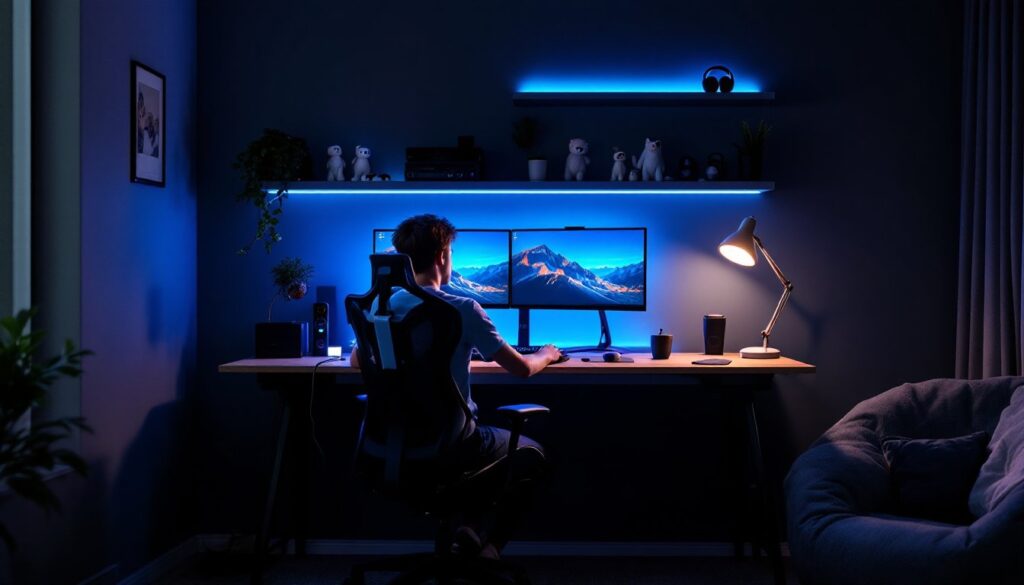
Lighting is critical for gaming and should come from multiple sources. An overhead ceiling light creates glare on screens: instead, use a task light (desk lamp with warm 3000K bulbs) positioned to the side of the monitor to reduce eye strain. Add a bias light, a dimmable LED strip mounted behind the monitor, that matches the on-screen color temperature. This reduces the contrast between the bright screen and dark surroundings, a known fatigue factor during extended play. Avoid blue-heavy lighting in the evening: 2700–3000K color temperatures are gentler on sleep patterns.
Select a Color Scheme and Wall Design
The walls set the room’s mood. Most gamers gravitate toward darker tones, navy, charcoal, or matte black, which reduce screen glare and create a focused atmosphere. A single accent wall in a bold color (electric blue, deep purple, or forest green) works well behind the gaming station and photographs better for streaming or content creation. Avoid white walls in a gaming room: they reflect light and strain eyes.
For wall treatments, consider peel-and-stick wallpaper (removable, so it suits rental spaces) or a fresh coat of matte or satin paint. Glossy finishes bounce light everywhere and defeat the purpose. If the user wants personalization, floating shelves mounted on the accent wall hold gaming collectibles, LED figures, or framed posters without occupying floor space. Keep shelves 8–12 inches above the desk line of sight so they don’t interfere with gameplay.
Posters, prints, and neon signage add character. Modern design inspiration can be found across platforms, Decoist’s interior design resources and professional galleries like HGTV’s boys’ bedroom collection offer curated ideas that balance gaming aesthetics with clean, mature design.
Invest in Smart Storage Solutions
Gaming rooms accumulate gear fast: controllers, headsets, cables, game cases, and streaming equipment. Without proper storage, the space becomes chaotic. Wall-mounted shelving keeps items visible and accessible. Allocate one shelf for controllers (use small charging docks), another for headsets, and a third for game cases or figurines. This keeps everything within arm’s reach and makes the room feel intentional rather than cluttered.
For console storage, mount the system on a floating shelf or wall mount at eye level, never stack devices or block ventilation vents. Consoles need airflow to prevent overheating. If the gaming station includes a PC tower, place it on the floor under the desk on a ventilated stand to keep dust and cords clear.
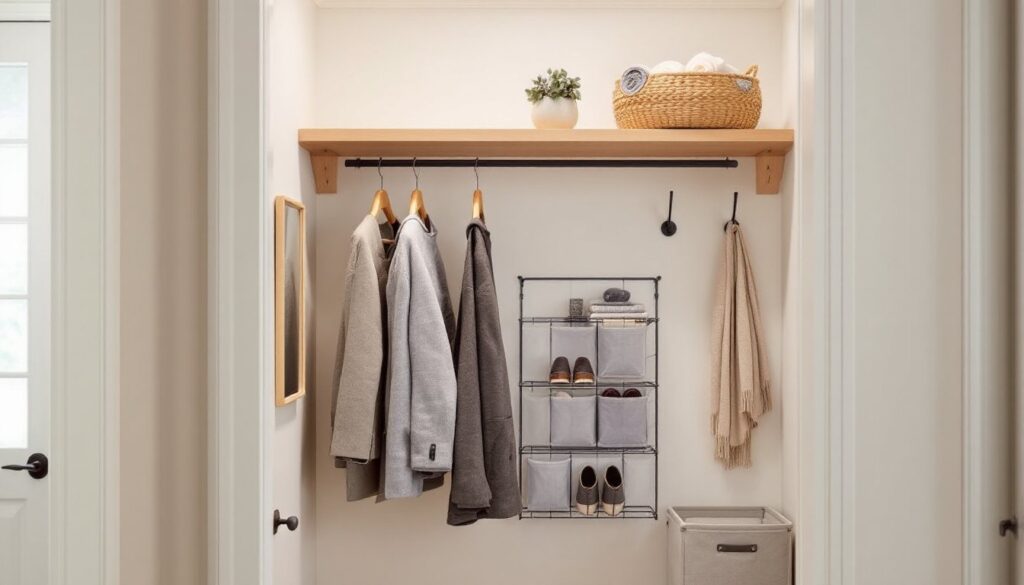
Door-mounted shoe organizers work surprisingly well for small cables, USB drives, and accessories. Label each pocket. Drawer dividers in the desk keep pens, small tools, and miscellaneous items organized. The goal is a place for everything so the gamer can focus on the game, not on hunting for a missing cable adapter.
Add Immersive Lighting and Ambiance
Beyond the desk task light, ambient lighting transforms the room from functional to immersive. Smart LED strips (addressable RGB or warm-white) around the perimeter, behind the desk, above shelving, or along the floor baseboard, create depth and reduce the harsh contrast of the monitor. These can be programmed to shift color based on the game being played or the time of day, supporting circadian rhythm rather than fighting it.
Dimmable overhead lights let the gamer control ambiance. A dimmer switch costs $10–20 and is a straightforward install (turn off the breaker, swap the switch, no special wiring needed). This allows the gamer to dial down the bright ceiling light during intense sessions and bring it back up when using the room for assignments or other tasks.
Avoid colored bulbs directly overhead: they strain eyes. Instead, save color for accent lights. Warm white (2700K) overhead light paired with cooler (4000–5000K) task lighting creates a balanced, professional setup. If the room has posters or collectibles on shelves, small track lighting or LED picture lights highlight them without overwhelming the space.
Incorporate Comfortable Seating for Gaming
The gaming chair is the primary seat, but a gaming room works better with backup seating for friends, teammates, or co-streamers. A simple throw rug (non-slip backing) defines the gaming zone and reduces noise from rolling chairs on hard floors. Dimensions of 5×7 feet work for a medium room.
Add a small sofa, futon, or even a gaming-focused bean bag positioned to the side or behind the main desk where a friend can watch without blocking sightlines. A futon offers dual functionality, it’s a couch during gaming sessions and converts to a bed for sleepovers. Make sure it doesn’t block airflow or crowd the space: measure the room and leave at least 36 inches of clearance for movement.
Cushions and ergonomic support matter here too. Gaming sessions last hours: even casual viewers benefit from proper lumbar support. Keep throw blankets and a small side table nearby for water bottles or snacks. Hydration and comfort extend focus during long play sessions.
If space is tight, skip additional seating and instead invest in a single, genuinely comfortable chair that supports the main gamer. A cramped room with mediocre furniture beats a spacious room with poor ergonomics.